Run 2 Unblocked — Play Free Online
More Tunnel Runners games
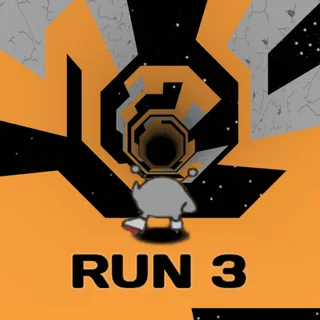

Run 2 unblocked: play Run 2 online free right here in your browser — no download, no sign-up, works on a school Chromebook.
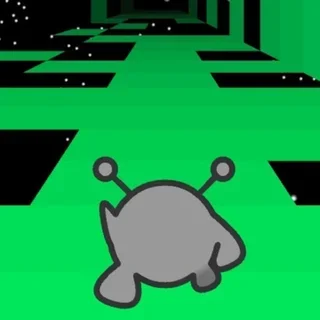
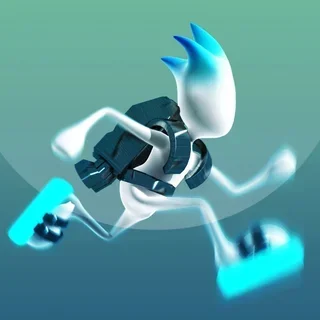
Run 2 is the game where the tunnel runner stopped being a single straight corridor and became a proper journey. You guide a small alien through a floating maze of tiles in deep space, and the whole job is staying on the path: one wrong step and you drop into the void, with nothing beneath you but stars.
It sits in the middle of the series. Run 1 was the bare idea; Run 3 added polish and more modes. Run 2 is where the level map and the unlockable characters showed up, and the tunnel layout got tricky enough that memorising it pays off. Anyone who likes Run 3 for its pace will find the same feel here, in a rougher and more compact package.
The game runs in the browser with nothing to install, so a session can be a two-minute attempt at a single level or an evening of pushing further along the map.
How to play
Steer with Left and Right, or A and D. Press Up, W or Space to jump across gaps. Because the tunnel is built from panels that curve around you, moving sideways past the edge of a panel carries you onto the wall or ceiling, and the view rotates with you. That is why the controls are described as steering or rotating depending on where you are.
The speed only goes up as a run continues, so hesitation costs you more with every second. Some tiles crumble and fall once you touch them, so you cannot stop to plan on them. Read the next gap while you are crossing the current one, and commit to your line early.
Levels are picked from a map, and finishing them unlocks more of it as well as new characters. Characters are not all the same: some jump differently or move faster, which changes which routes are comfortable.
Tips
- Jump from the very edge of a tile rather than the middle. You lose less speed and clear wider gaps.
- Tap the direction keys rather than holding them. Long holds swing you past the panel you wanted and off the far side.
- When a section keeps beating you, note where the crumbling tiles are. The layout is the same every attempt, so a route that works once will work again.
- Look ahead of the character, not at it. Your eyes should be a couple of jumps in front.
Similar games on Run 3
Run 3 is the obvious next stop, with more polish and a larger cast, while Run is the simple starting point of the series. If you want the same tunnel-dodging tension without gaps to jump, Tunnel Rush is a pure reflex test, and Slope swaps the stars for a fast downhill ball that never lets up.
Run 2 suits players who like a level you can beat and replay, and short attempts that end fast and restart instantly. Keyboard play is the most comfortable way to steer.
Questions about Run 2
Is Run 2 unblocked at school?
Run 2 runs in an ordinary browser tab from run3-unblocked.org, with nothing to download or install, so it plays on most school Chromebooks and work computers. If a network filter blocks the site, only that network's administrator can change it.
What are the controls in Run 2?
Left and Right (or A and D) steer and rotate around the tunnel; Up, W or Space jumps across gaps.
Why do I keep falling off?
The speed keeps rising and some tiles crumble once touched. Tap the direction keys rather than holding them, and jump from the edge of a tile.
How is Run 2 different from Run 3?
Run 2 is the earlier, more compact game in the series, with a level map and unlockable characters. Run 3 is the later, more polished entry.
Can I play Run 2 on a phone or Chromebook?
It runs in modern browsers with nothing to install, but a keyboard makes steering easier.